
Users with the Edit Inventory permission can transfer inventory stock from one location to another.
Transferring Inventory
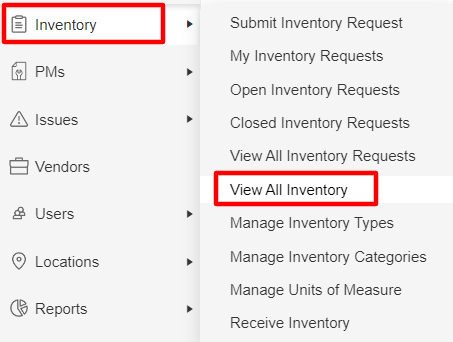
1. Select Inventory > View All Inventory from the left-side navigation menu.
2. Click on an inventory item (blue link)
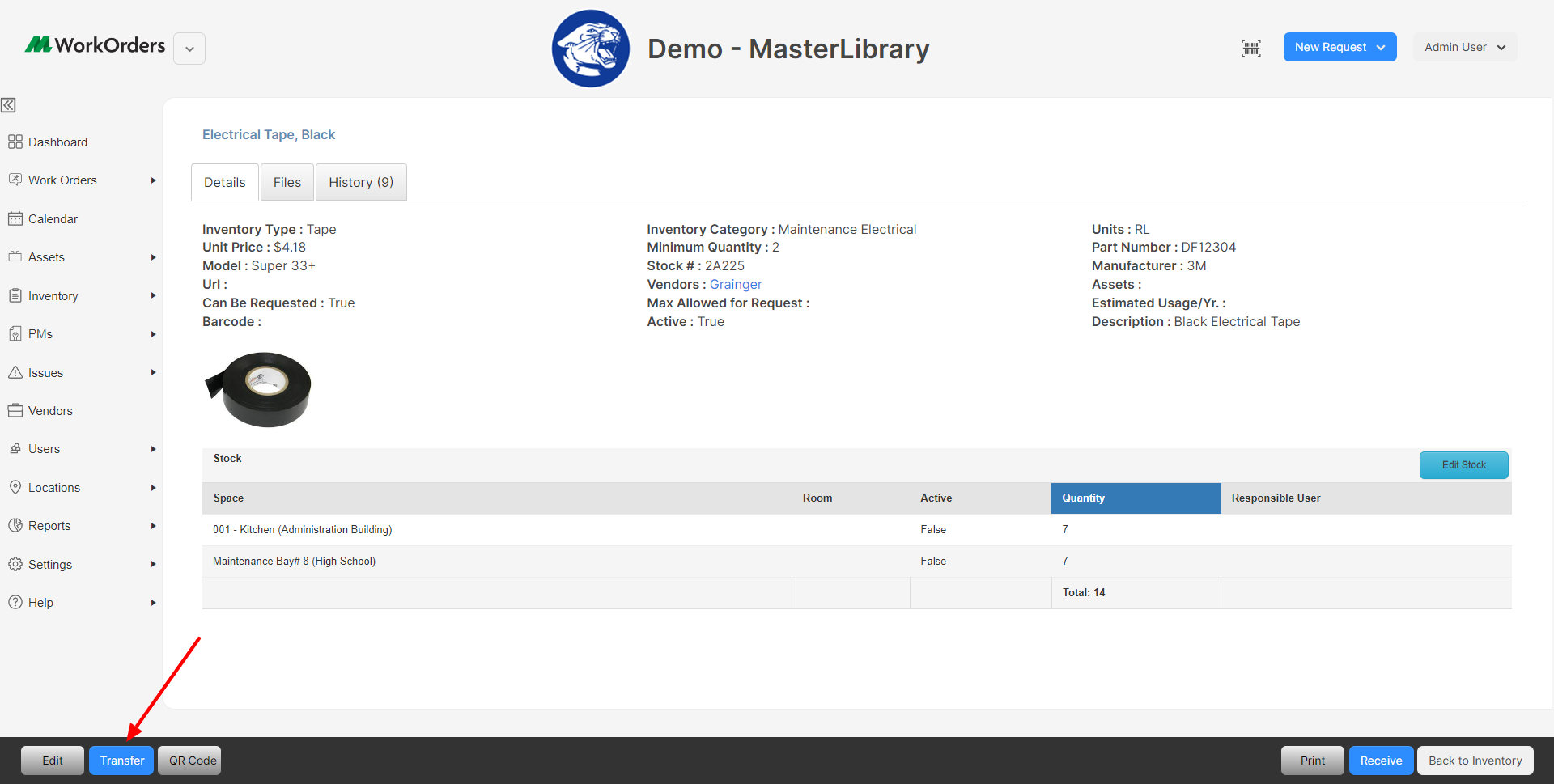
The Inventory Details page will be displayed.
3. Click the Transfer Button ( )
)
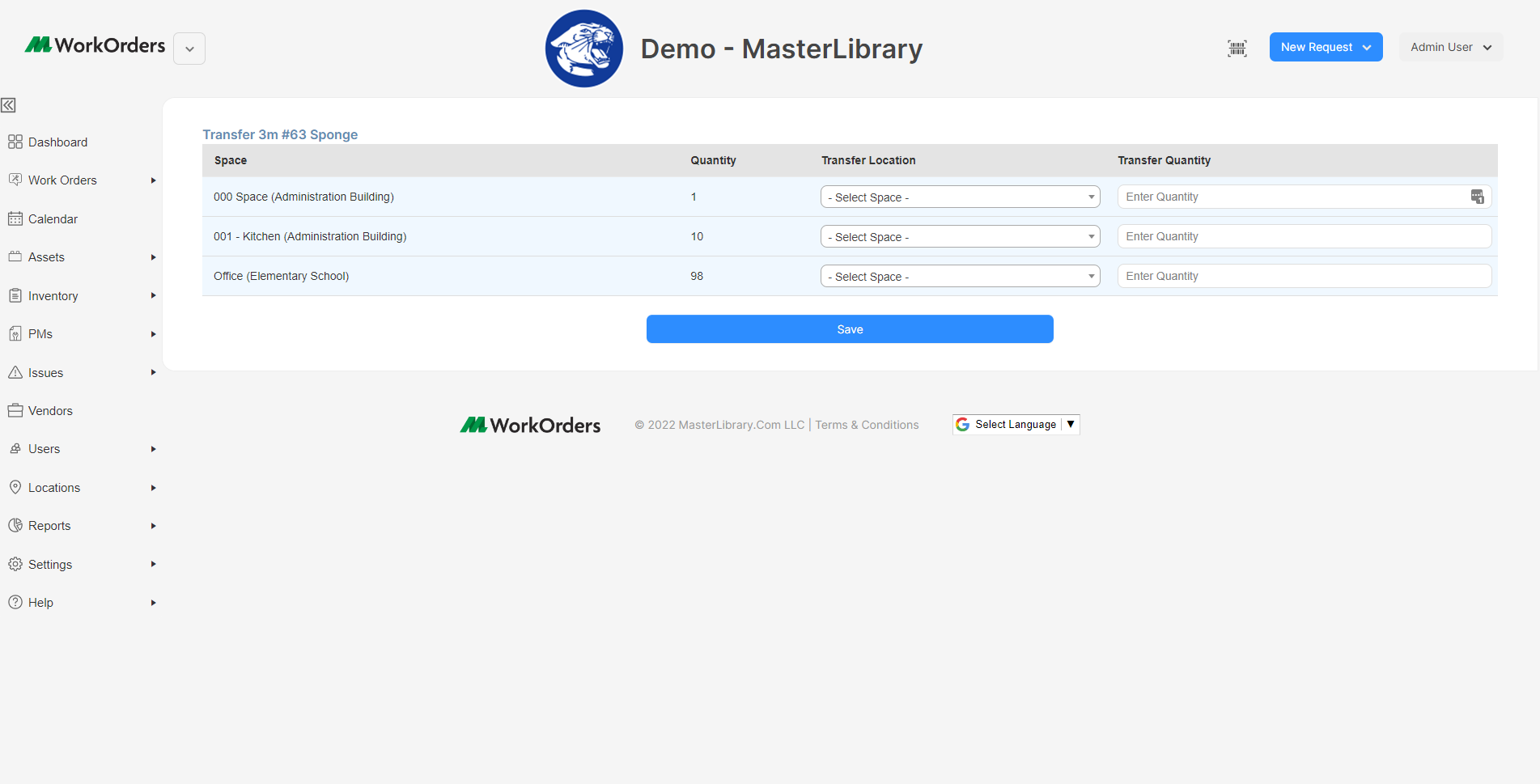
4. Fill out the following information.
Transfer Location: This is the location of where your transferred stock is going.
Quantity: The number of stock being sent to the location listed in the "Transfer Location"
Note: The quantity listed will show the current amount at the location.
5. Click Save.
Comments
0 comments
Please sign in to leave a comment.